Microsoft discovers the web
The market leader starts at the back
When Netscape Navigator appeared in late 1994, Microsoft did not yet have a web browser of its own. The company was thinking mainly about operating systems, office software and its planned online service, MSN. Meanwhile, the open web was developing beyond Microsoft’s control — and Netscape threatened to become a new layer above Windows.
Starting from nothing would take time. Microsoft therefore chose a shorter route. In January 1995 it announced that it would license browser technology from Spyglass. Spyglass had created a commercial product based on the ideas behind NCSA Mosaic. A small Microsoft team used that code as the starting point for a browser codenamed O’Hare.
Microsoft saves time by using existing Mosaic technology as its foundation.
A basic first version arrives shortly before Windows 95.
The browser gains more web features; a Macintosh edition follows later.
With its recognisable blue e and new technology, IE becomes a serious challenger.
A persistent memory: IE was inside Windows 95 from day one
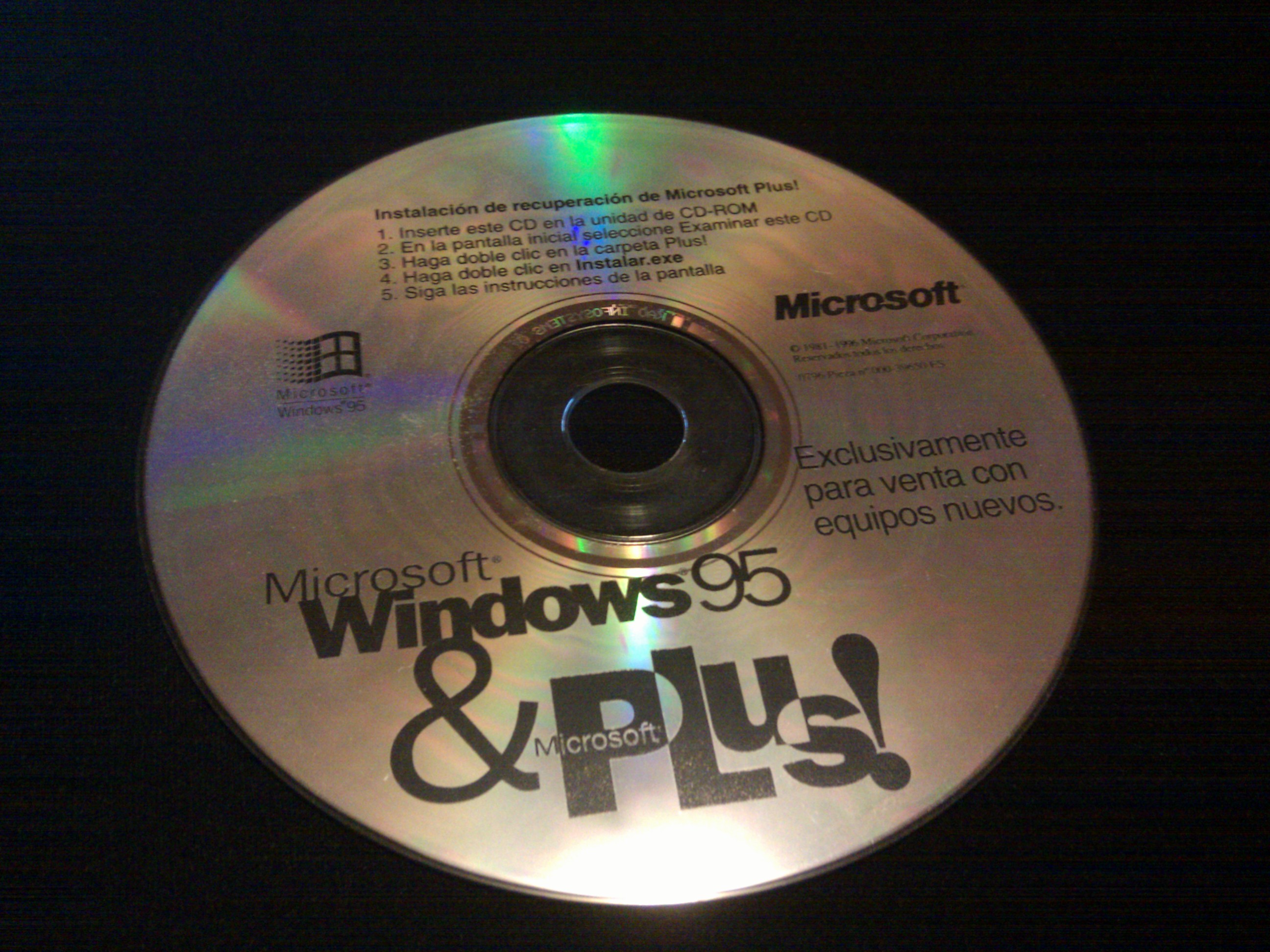
Internet Explorer is often portrayed as a permanent part of the first Windows 95 box. The reality is more precise. The original retail edition of Windows 95, released on 24 August 1995, contained no browser. Consumers could obtain Internet Explorer 1.0 through the separate Microsoft Plus! enhancement pack.
New computers were different. Microsoft included IE 1.0 in the OEM edition installed by PC manufacturers. Later Windows 95 releases shipped with IE 2 and IE 3. The same browser could therefore be a separate add-on, a download and pre-installed software at the same time.
Three routes to the same desktop
Netscape had to persuade users to find, download or install Navigator from a disc. Microsoft could offer Internet Explorer at many more moments. It came with a new PC, appeared in a Windows enhancement pack and could be included in packages from internet service providers.
Owners of the original retail Windows 95 edition could install IE 1.0 from a separate enhancement pack.
On OEM computers the browser icon was ready before the buyer had chosen any software.
An installer could configure the browser, dial-up connection and home page in one operation.
That final difference mattered in the age of slow modems. Downloading a browser of several megabytes could take a long time and fail halfway through. Software already on the hard drive was available immediately. Convenience became a competitive weapon.
Version 1 was not yet a Netscape killer
Internet Explorer 1.0 was austere and technically behind Navigator. Microsoft had a browser, but not yet one users would actively choose. Successive versions therefore appeared at great speed.
Basic web pages, favourites and simple navigation. Small, but limited.
Support for features including cookies, secure connections and newsgroups brought IE closer to Netscape.
Frames, Java, ActiveX, multimedia and partial CSS support made Microsoft’s ambition visible.
IE 3 also introduced the blue e logo that would become synonymous with ‘the internet’ for a generation. Netscape was not yet beaten on technology, but Microsoft no longer had to explain that it possessed a browser.
A browser on a single floppy
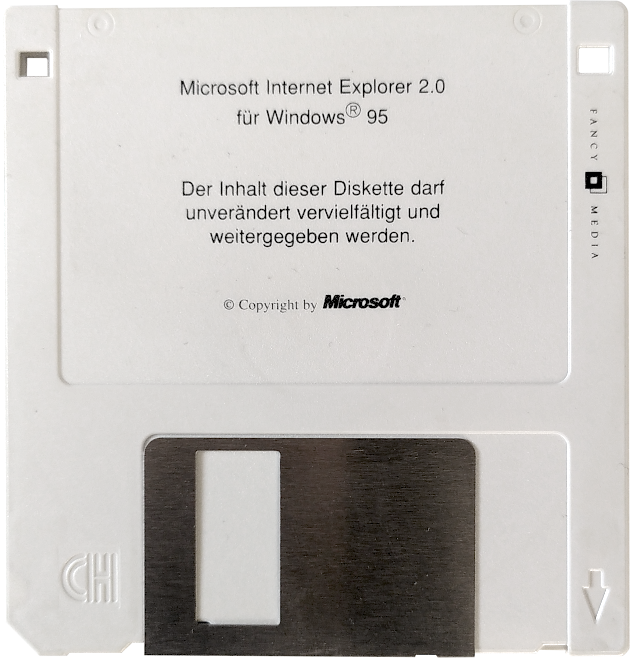
Internet Explorer 2 still fitted on one 3½-inch floppy disk. That physical format shows how small and separate the browser initially was. It could be supplied, copied and removed like an ordinary program — long before Microsoft argued that browser and operating system were inseparable.
The icon that had to stay
The difference between ‘including’ and ‘imposing’ soon became visible. In late 1995 Compaq removed the Internet Explorer and MSN icons from some Presario PCs in order to feature Netscape and AOL. According to findings later published in the US Microsoft case, Microsoft threatened to terminate Compaq’s Windows licence. The icons returned.
To the buyer it looked like a minor desktop design choice. Behind that one icon, however, stood a power relationship between Microsoft and computer manufacturers. Whoever determined what users saw first also influenced which browser they regarded as the natural choice.
Dutch perspective · installation night
The browser choice disappears into setup
On 6 March 1996 Microsoft made Internet Explorer 2.0 available in 22 languages, including Dutch. This removed a clear barrier: menus, messages and settings no longer had to be understood in English.
In Dutch homes the browser also frequently arrived together with the internet connection. A CD-ROM or floppy from a provider configured the dial-up number, username and home page and could install a browser as well. Anyone following such a package rarely made a principled choice between Netscape and Internet Explorer first. The decision was hidden inside the steps of the installation wizard.
The CD-ROM or floppy starts an installation program.
Telephone number and account details are stored.
Netscape or Internet Explorer receives a shortcut.
The company’s portal becomes the front door to the web.
Browsing thus shifted from a conscious software decision to one part of ‘setting up the computer’. For many new users, the browser was simply the program that appeared when they clicked Internet.
Read more: becoming a customer of a Dutch provider →From a late start to a powerful position
In 1995 Internet Explorer was a hurried answer to Netscape. One year later Microsoft had a Dutch-language browser, a rapidly improving product and millions of Windows PCs as a distribution channel. The contest was no longer only about speed or features.
The central question became who controlled access to the user: the browser maker people actively chose, or the owner of the operating system already present on their PC. In the next chapter that tension erupts into the first browser war.